
My Spectrum
Charter/SpectrumTools
4.8115.12K Reviews
- Version
- 26.22.0
- Installs
- 10.00M
- Age Rating
- Everyone
Screenshots
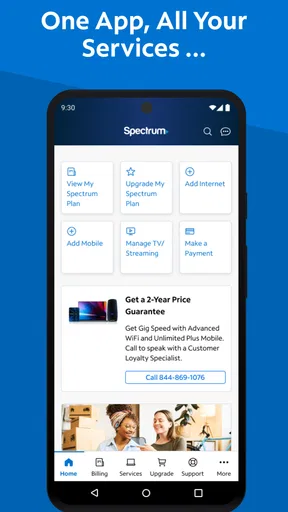
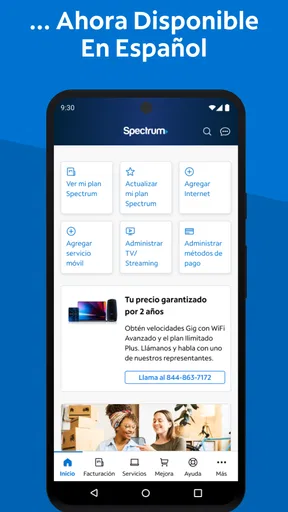
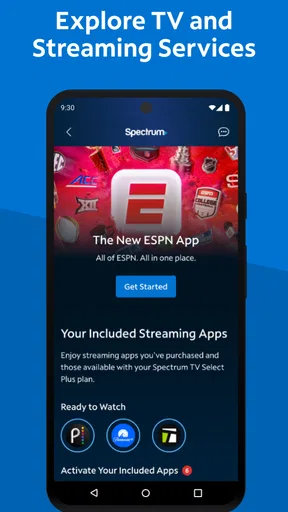
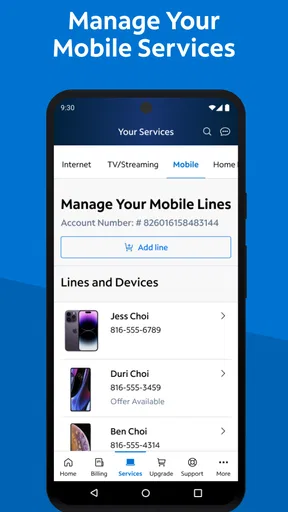
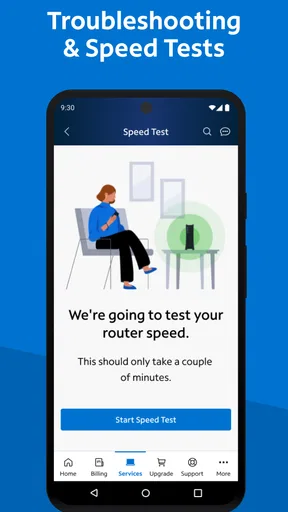
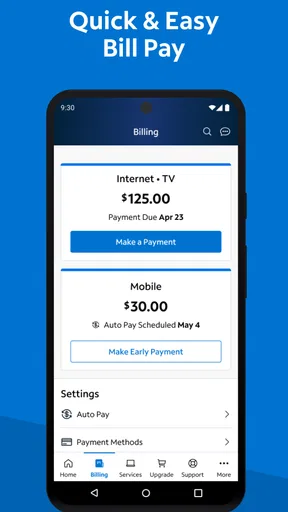
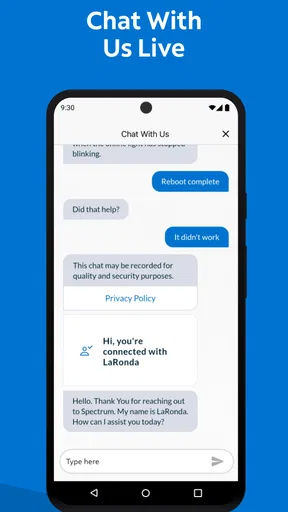
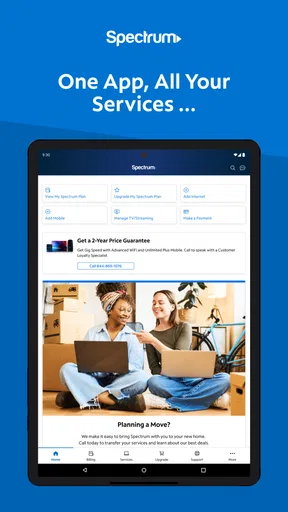
Our Review of My Spectrum
 Analysis by Appyee
I use My Spectrum as a practical account-management tool rather than as an app I open for entertainment. Its job is simple: help Spectrum customers handle many everyday service tasks from one place. That focus makes it useful when I need to check an account, deal with a billing question, or manage home services without searching through several separate channels.
What stood out to me is that the app feels designed for moments when I want to finish a small task quickly. I do not need a broad dashboard full of unrelated tools; I need a direct route to my Spectrum account. The experience is most valuable when I already know what I want to do and would rather use my phone than a browser or a customer-service call.
How My Spectrum feels in everyday use
I use My Spectrum as a practical account-management tool rather than as an app I open for entertainment. Its job is simple: help Spectrum customers handle many everyday service tasks from one place. That focus makes it useful when I need to check an account, deal with a billing question, or manage home services without searching through several separate channels.
A focused tool for Spectrum customers
My Spectrum belongs in the tools category, and that description fits. It is developed by Charter/Spectrum and is available free of charge for everyone. The app has been around since December 15, 2014, so it is not a new experiment that still needs to prove its purpose. It has grown into a familiar option for customers who want a mobile way to interact with their Spectrum services.
The strongest reason to install it is convenience. If your internet, television, or other Spectrum services are part of your regular household routine, having account controls close at hand can remove several small obstacles. I find that especially helpful when I am away from my computer, when another person in the home needs account information, or when I want to take care of something before I forget.
The app is less compelling for someone who does not use Spectrum services. It is also not the right replacement for every kind of technical support. A mobile account tool can organize access to service information and management options, but it cannot make a weak home network perform better by itself. That distinction matters: the app can be useful during a service problem, yet it is not automatically the solution to the underlying problem.
Speed expectations and the first few taps
My expectation with this kind of app is not instant entertainment-style responsiveness. Account tools often need to load current information, and that means the experience can depend on the connection and the service behind the screen. In my use, I judge it by how quickly it gets me to the relevant account area, not by whether every screen appears as quickly as a calculator or notes app.
The interface benefits from having a clear practical purpose. I can approach it with a task in mind instead of wandering through a large collection of unrelated sections. That makes the app feel quicker in real life, even when a particular page needs a moment to load. A clean route to the right control is often more useful than a visually elaborate design with more choices.
One useful habit is to open the app before an urgent situation, while I have a stable connection and enough time to look around. I can then recognize where account and service controls are located instead of learning the layout during an outage or billing deadline. This is a small preparation step, but it reduces friction when the app matters most.
What happens during heavier use
Heavy use for My Spectrum is not the same as heavy use for a video editor or a game. I would describe it as repeated account checking, moving through several service-related screens, or using it while other apps are open. The phone is not being asked to render complex graphics, so the app’s value is mainly tied to navigation, loading, and the responsiveness of account information.
For that reason, I would not choose this app based on raw performance claims. Its practical performance depends on the situation. A strong connection and a responsive account service should make ordinary tasks feel straightforward, while a poor connection can make any cloud-based account tool feel slow. If a screen takes longer than expected, repeatedly tapping the same control is usually not helpful; I prefer waiting briefly, checking the connection, and then trying again.
A realistic household example is checking an account while preparing to leave home. I may want to confirm a service detail, review a current account matter, or find the appropriate place to manage something without opening a laptop. The app is useful here because the phone is already with me. The trade-off is that a smaller screen can make detailed information less comfortable to inspect than a desktop browser.
Another less obvious use is keeping the app available as a reference point when several people share a Spectrum account. Instead of relying on one person’s memory of account details or asking someone to find a computer, the account holder can use the mobile app when the need comes up. I would still be careful about handing an unlocked phone to someone else, especially when account management is involved.
Stability and recovering from interruptions
Stability matters more to me in a service-management app than visual polish. If I open it to handle an account task, I want to know that I can return to the same goal after a brief interruption. Phone calls, weak signals, switching between apps, and temporary service delays are all normal parts of mobile use, so recovery is an important part of the experience.
My approach is to treat an interrupted session calmly. If the app does not immediately show the expected information, I first give the screen a moment, then revisit the relevant section rather than assuming that a delayed display means the action failed. When an account task has real consequences, I also verify the final state instead of relying on a single tap or a confirmation that I did not fully read.
This is one area where a browser can sometimes be the better alternative. A larger screen makes it easier to compare account information, keep several pages visible, or recover from a complicated support journey. The mobile app wins when I need portability and a focused path; the browser wins when I need room to inspect details carefully.
Resource demands and phone limitations
My Spectrum is not the sort of app I would install for entertainment, so I do not expect it to be a major resource consumer in the way a demanding game can be. Still, any account application needs enough space and a compatible operating system to install and run properly. The current version is 26.16.0 and requires iOS or Android 11 or later, which is an important practical check before downloading.
If your phone runs an older system, the operating-system requirement can be the deciding factor. In that situation, the sensible alternative may be using Spectrum’s web account tools through a supported browser or contacting customer support through another available route. I would not recommend replacing a working phone solely for this app; its convenience is useful, but it is not worth ignoring broader device needs.
On a compatible phone, I would keep the app updated when possible. Updates can be particularly relevant for account tools because service workflows change over time, and an outdated version may not provide the smoothest route through current screens. I also avoid judging the app while my phone is already struggling with storage or many background tasks, since those conditions can make several apps appear less responsive.
Where it beats the usual alternatives
The usual alternatives are a mobile browser, a desktop browser, or a phone call. Compared with a browser, My Spectrum offers a more direct app-based entry point. I do not have to remember which page to open first, and the experience is built around the Spectrum account rather than a general web session. That is the main convenience advantage.
Compared with calling, the app gives me more control over timing. I can look for information or begin a routine task without waiting for a representative. That does not make it superior in every case. If the issue is complicated, urgent, or difficult to explain through account screens, speaking with a person may be more efficient than trying several mobile options.
Compared with using a computer, the app is easier to reach from the sofa, the car as a passenger, or another room in the house. The compromise is readability and precision. Detailed account work is often more comfortable on a larger display, while quick checks and simple management are where the phone version makes the most sense.
Three practical habits that improve the experience
Learn the route before you need it. I recommend opening the app during a calm moment and identifying the account and service areas relevant to your household. This turns an emergency visit into a familiar workflow instead of a search under pressure.
Separate account access from problem diagnosis. Use the app to manage or inspect what it presents, but do not assume that opening it will repair a connection or explain every technical fault. If the service itself is failing, the app is best treated as one channel for handling the issue, not as proof that the phone or home network is healthy.
Verify important changes. When I complete a meaningful account action, I look for the resulting status rather than closing the app immediately. This is a good safeguard for any mobile account tool, especially when a connection has been inconsistent or the screen has taken time to refresh.
Who should install it, and who should skip it
I would recommend My Spectrum to Spectrum customers who regularly manage household services and prefer handling routine matters from a phone. It is particularly suitable for people who travel around the home or work away from a desk, because the app keeps account access close without requiring a full computer setup.
I would also consider it useful for households where one person is responsible for service administration but is not always near the main computer. The mobile format can make occasional tasks less disruptive. Its free price removes a financial barrier, and the Everyone content rating makes it broadly approachable from an age-classification standpoint.
I would skip it if you are not a Spectrum customer, since its usefulness is tied directly to that service relationship. I would also choose a browser or direct support route when I need a large-screen review of complicated information, when my device cannot meet the operating-system requirement, or when the problem needs detailed human assistance rather than routine account access.
Scale, maturity, and what that means for confidence
The app has a 4.7 average from around 1.3 million ratings, with roughly 114 thousand written reviews, and it has passed 10 million installs. Those figures suggest that it is widely used and familiar to a large customer base. I see that scale as reassuring for an everyday service tool, although popularity should not be confused with a guarantee that every phone, connection, or account situation will behave identically.
Its long presence on mobile also changes how I evaluate it. I am not looking for novelty; I am looking for a dependable path to routine Spectrum tasks. The mature, focused role is a strength, but it can also make the app feel less useful to anyone expecting a complete technical-control center or a replacement for every support option.
My performance verdict
My Spectrum performs best when the task is clear, the phone is compatible, and the connection is behaving normally. It is a focused, free tools app that makes sense for customers who want mobile access to their Spectrum services. I appreciate that its usefulness comes from reducing the distance between a question and the relevant account area, rather than from trying to do too many unrelated things.
I would not call it a universal solution. Browser access remains preferable for extended account research, and human support can be better for complicated problems. The app may also feel less convenient on an older device or during a weak connection, where loading and recovery become more important than the basic interface.
Overall, I would keep it installed if Spectrum manages an important part of my household connectivity or entertainment setup. The best reason to use My Spectrum is not speed for its own sake, but the ability to handle ordinary account tasks from wherever I am. With realistic expectations about connection-dependent loading, screen size, and the limits of mobile self-service, it is a sensible companion for Spectrum customers rather than an app I would recommend to everyone.
Privacy and Permissions
See what permissions an app requests and how it handles your data.
- Location
- approximate location (network-based), precise location (GPS and network-based)
- Phone
- read phone status and identity
- Photos/Media/Files
- read the contents of your USB storage, modify or delete the contents of your USB storage
- Storage
- read the contents of your USB storage, modify or delete the contents of your USB storage
- Wi-Fi connection information
- view Wi-Fi connections
- Device ID & call information
- read phone status and identity
- Other
- view network connections, change network connectivity, connect and disconnect from Wi-Fi, control flashlight, full network access, run at startup, control vibration, prevent device from sleeping
Verdict
Strengths of My Spectrum
- View bills, data usage, and account details in one place.
- Manage Spectrum Mobile lines and monitor device activity easily.
- Find nearby Spectrum stores and service locations quickly.
- Access support options without needing a separate browser.
- Useful account alerts can help prevent missed payments or service issues.
Limitations of My Spectrum
- Most features require an active Spectrum customer account.
- Some account changes may redirect you to web-based support pages.
- Performance can vary depending on network connection and app version.
- Limited usefulness for users who only subscribe to internet service.
- Notifications may feel excessive if multiple account alerts are enabled.
Other Releases by Charter/Spectrum
View All
Spectrum TV
Entertainment4.7

Spectrum News: Local Stories
News & Magazines4.1
Similar Picks in This Category
View All
Google LLC4.0

Gboard - the Google Keyboard
Google LLC4.5

Google Play services
Google LLC4.3

Google Play Store
Google LLC4.9

Files by Google
Google LLC4.5

SHAREit: Transfer, Share Files
Smart Media4U Technology Pte.Ltd.4.3
Frequently Asked Questions
What is My Spectrum, and what can I use it for?
My Spectrum is the official account-management app for Spectrum customers. After signing in, you can review your internet, TV, mobile, and voice services, check your current balance, make payments, view billing details, manage Wi-Fi settings, troubleshoot certain connection problems, and contact support. The exact tools available may depend on your Spectrum services, account type, and location.
Do I need to be a Spectrum customer to use the My Spectrum app?
Yes. My Spectrum is primarily designed for people who have an active Spectrum account. You generally need your Spectrum username and password to access account information and service-management features. If you are a new customer, you may need to create or activate your online account first. Some limited information may be visible before signing in, but the main features require customer authentication.
Can I pay my Spectrum bill through My Spectrum?
Yes, the app normally allows eligible customers to view their balance, check payment due dates, and make payments using an available payment method. You can often manage saved payment details and review transaction information as well. Payment options and processing times may vary, so users should verify that a payment was successfully submitted and allow enough time before the due date.
Can My Spectrum help troubleshoot internet or Wi-Fi problems?
My Spectrum includes tools intended to help diagnose common service issues, such as connection interruptions, modem or router problems, and Wi-Fi difficulties. Depending on the situation, the app may guide you through restarting equipment, checking service status, or running basic troubleshooting steps. More complicated outages or hardware failures may still require assistance from Spectrum support.
Is My Spectrum free, and is it safe to use?
The My Spectrum app is generally free to download, although using Spectrum services requires a separate paid subscription. The app may handle sensitive information, including account details and payment data, so downloading it from the official Google Play Store or Apple App Store is important. Use a strong password, keep the app updated, and avoid signing in on unsecured public devices.
